
Blog
Instagram Carousel vs. LinkedIn Carousel: Key Differences Explained
Compare Instagram carousels and LinkedIn carousels — formats, dimensions, specs, design conventions, and how to repurpose content between platforms.
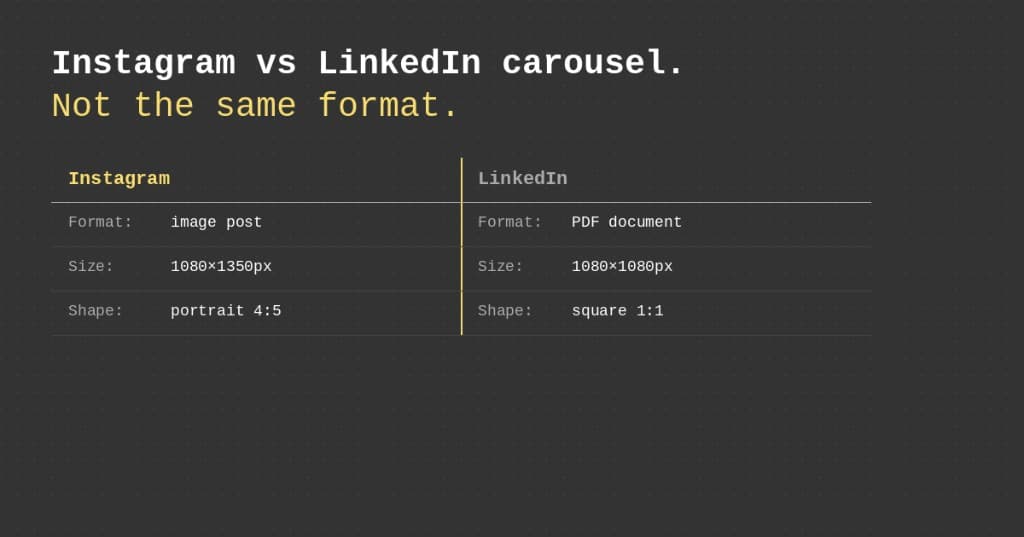
Carousels are one of the best-performing content formats on both Instagram and LinkedIn — but they're not the same thing. If you're creating for both platforms (or want to start), understanding the differences saves you from publishing broken content and helps you build a repurposing workflow that actually works.
Here's the complete comparison.
What Is an Instagram Carousel?
An Instagram carousel is a multi-image or multi-video post that users swipe through horizontally. You can include up to 20 slides, combining photos, graphics, and short video clips.
Instagram carousels perform well because of how the algorithm handles them: a user who doesn't engage on the first view may see the carousel again starting from a different slide, giving your content multiple chances to land.
Key specs:
- Format: Swipeable image/video post
- Slides: Up to 20
- Recommended dimensions: 1080×1350px (4:5 portrait)
- File type: JPG, PNG, MP4
- Displayed: Inline in the feed, mobile-first
What Is a LinkedIn Carousel?
LinkedIn doesn't have a native "carousel" feature in the same sense. What LinkedIn creators call carousels are actually document posts — PDF files uploaded directly to LinkedIn that users can swipe through.
This distinction matters more than it sounds. LinkedIn carousels are rendered as a document viewer, not as a photo slideshow. That affects how slides look, how they're consumed, and what formats are supported.
Key specs:
- Format: PDF document upload
- Slides: Up to 300 pages (practical sweet spot: 5–15)
- Recommended dimensions: 1080×1080px (1:1 square) or 1920×1080px (16:9 landscape)
- File type: PDF only
- Displayed: Document viewer, performs on both desktop and mobile
Side-by-Side Comparison
| Feature | Instagram Carousel | LinkedIn Carousel |
|---|---|---|
| Native format | Multi-image post | PDF document post |
| Max slides | 20 | 300 (practical: 5–15) |
| Best dimensions | 1080×1350px (4:5) | 1080×1080px (1:1) or 1920×1080px |
| File type | JPG/PNG/MP4 | |
| Viewer | Mobile swipe | Document embed |
| Algorithm behavior | Re-shown from different slides | High dwell time = broad reach |
| CTA norms | "Save", "Follow for more" | "Comment", "DM me" |
Why Dimensions Matter More Than You'd Think
The dimension difference is the biggest practical obstacle for creators trying to repurpose content across platforms.
Upload a portrait-format (4:5) Instagram slide to LinkedIn and you get one of two outcomes: awkward white letterboxing, or aggressive auto-cropping that cuts off your text and design elements. Either way, the content looks amateurish.
LinkedIn's document viewer is designed for square or landscape content. Slides that fill the screen, don't show awkward borders, and keep text legible at various zoom levels perform better and look more professional.
Reformatting 10 slides from 1080×1350 to 1080×1080 and then exporting as a merged PDF takes significant manual effort — unless you use a tool built specifically for the conversion. (For exact numbers, see our Instagram carousel sizes and LinkedIn carousel specs guides.)
Turn your carousel into a LinkedIn PDF
Drag in your Instagram slides and get a LinkedIn-ready PDF in about 30 seconds. Free to try, no account needed.
Design Differences That Actually Matter
The specs are only half the story. The same idea has to be framed differently for each audience.
Text Density: Less vs. More
Instagram: Keep it minimal — large fonts, short sentences, lots of whitespace. Users are scrolling fast; you have milliseconds to hook them.
LinkedIn: You can afford more text per slide. Professionals expect substance, so bullet points and short blocks of text work well. When repurposing, you often need to expand an Instagram one-liner into a fuller LinkedIn point.
Branding: Personal vs. Professional
Instagram: Personality-driven design wins, even for businesses. Carousels that feel human outperform corporate polish.
LinkedIn: Professional credibility matters more. Adding your name, title, or logo to slides is common and helps thought-leadership content land.
Call-to-Action Placement
Instagram: CTAs usually live in the caption ("Save this," "Follow for more"). On-slide sales CTAs feel out of place.
LinkedIn: CTAs can be direct and on-slide. The final slide often invites a concrete next step — comment, connect, or visit a link.
Cover-Slide Hooks
Both platforms need a strong slide 1, but the hook type differs. Instagram rewards bold, benefit-driven or relatable hooks; LinkedIn rewards data, frameworks, and contrarian professional takes. Your cover slide almost always needs a rewrite when you move between platforms.
Repurposing: What Changes vs. What Stays
The good news: a genuinely useful carousel travels well across platforms.
Usually stays the same: the core teaching, the basic slide structure, and any helpful diagrams or visuals.
Usually needs to change: the cover-slide hook, text density and font size, the caption and CTA, the level of branding polish, and sometimes the dimensions.
Common Repurposing Mistakes
- Posting identical content with no adaptation — different audience, different mindset.
- Over-adapting and rebuilding from scratch — strategic tweaks beat full reinvention.
- Ignoring the caption — Instagram captions drive saves and hashtag discovery; LinkedIn captions spark comments.
- Forgetting mobile-first design — both platforms are consumed mostly on phones.
For a full walkthrough, see how to repurpose Instagram carousels for LinkedIn.
Which Platform Should You Post On?
The honest answer: both, when the content fits.
Instagram carousels thrive on:
- Visual storytelling and design-forward content
- Consumer-facing brands and lifestyle topics
- Broad awareness goals
LinkedIn carousels thrive on:
- Professional insights, frameworks, and expertise
- B2B audiences and decision-makers
- Lead generation and professional reputation building
If you're a creator, coach, consultant, or any kind of knowledge worker, there's almost certainly a LinkedIn audience waiting for your Instagram carousel content. The format differences are a solvable problem.
Convert Instagram Carousels to LinkedIn in 30 Seconds
igli handles the format conversion automatically. Drag in your Instagram slides, get a LinkedIn-ready PDF out. No manual resizing, no PDF stitching, no Canva rebuilds.
Turn your carousel into a LinkedIn PDF
Drag in your Instagram slides and get a LinkedIn-ready PDF in about 30 seconds. Free to try, no account needed.