
Blog
Instagram Saved Posts Are Bookmarks, Not Copies — How to Keep the Carousels You Save
Why Instagram saved posts disappear when creators delete or go private, and how to keep a real copy of the carousels that matter — as a PDF you own.
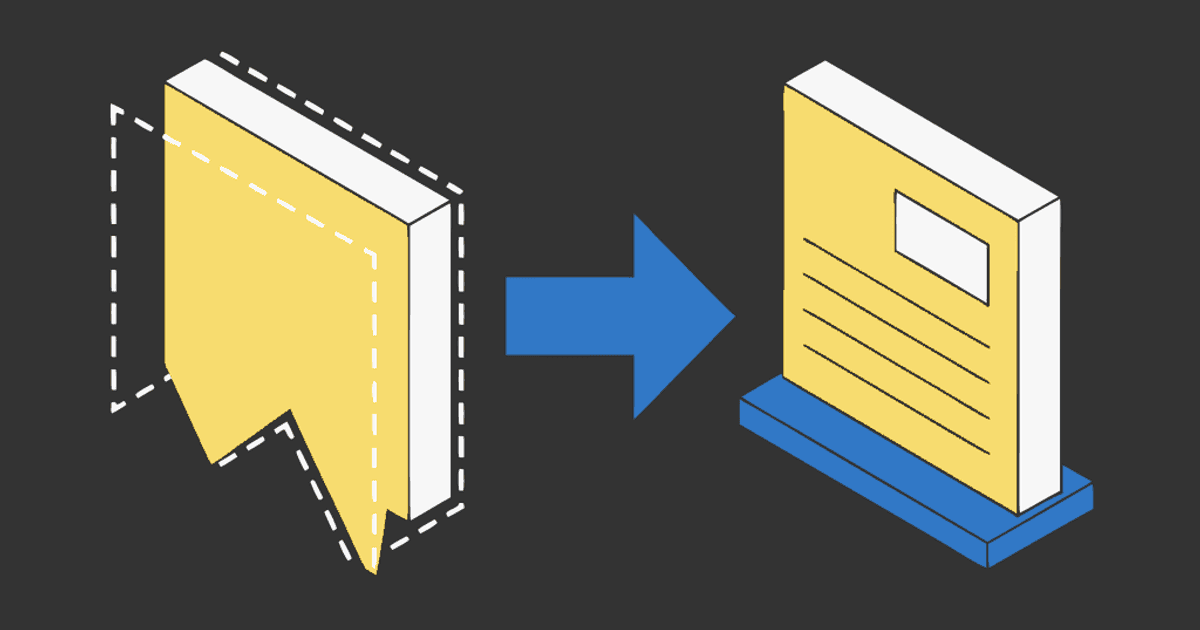
You saved a carousel last month — a 10-slide breakdown of ad copy formulas, or a shoulder rehab routine, or a recipe where the ingredients were on slide 3. Now you go back to your saved posts and it's gone. No notification. No trace. Just a gap in your collection where a post used to be.
This is the most common complaint about Instagram saves, and it's not a bug. It's how saves work.
A save is a pointer, not a copy
When you tap the bookmark icon on an Instagram post, Instagram stores a reference: "this user saved post ID 12345." It does not store the images, the caption, or the slides. Your saved-posts tab is a list of pointers to posts that live on someone else's account.
That means your save depends entirely on the original post existing. If any of the following happens, the save vanishes:
- The creator deletes the post. Gone. No "this post was deleted" placeholder — just removed from your list.
- The creator goes private. If you don't follow them, every save from their account disappears from your collection.
- The creator's account gets suspended or banned. All their posts go down, and your saves of those posts go with them.
- The creator archives the post. Instagram's archive feature hides a post from everyone except the creator. Your save becomes invisible.
- You reportedly hit a cap. Multiple Reddit threads describe saved posts dropping off after accumulating thousands — Instagram hasn't confirmed a limit, but users report saves disappearing or becoming unsearchable past roughly 3,000–5,000 items. This is unconfirmed and may be a display/loading issue rather than a hard cap, but the effect is the same: you can't find what you saved.
None of these scenarios warn you. The post just stops appearing in your saved tab. If you organized it into a Collection, the Collection stays but the post inside it is gone.
Collections don't help
Collections feel like folders, but they're folders of pointers. A Collection called "Recipes" is just a filtered view of your saved bookmarks — it doesn't copy anything. If the original post disappears, the Collection entry disappears too.
Collections also aren't exportable, searchable by content, or accessible outside the Instagram app. You can't grep your recipe Collection for "chickpea" or share the whole folder with someone. They're an organizational layer on top of a system that doesn't store the thing you're organizing.
What actually works: make a copy
The only way to keep an Instagram carousel independent of the original post is to save a copy of the content itself. There are a few ways to do this, with different tradeoffs.
Screenshots (free, tedious, messy)
You can screenshot every slide. This works in the sense that you now have the pixels. But a 10-slide carousel becomes 10 separate images in your camera roll, with no order, no source link, and no way to keep them together. You also lose any text clarity — screenshots are limited to your screen resolution and often include the Instagram UI chrome.
For a one-off slide you want to reference, a screenshot is fine. For anything you'd want to search, annotate, or keep organized, it's not practical.
Save as a PDF (30 seconds, one file, keeps everything)
A PDF keeps all slides in order, in one file, at the resolution the creator uploaded. You can name it, file it, search for it by filename, and open it on any device. It works in Notion, Obsidian, Readwise, Google Drive, Apple Notes, or a plain folder.
Here's how:
- Copy the carousel link. Tap the three dots on the post → Copy link.
- Open igli and paste the link. igli pulls every slide in order. The post has to be public.
- Export the PDF. Name it something useful:
ad-copy-formulas-@creator.pdf.
Free exports cover up to 5 slides with a small watermark. A credit (from $0.20) handles up to 20 slides, watermark-free and at higher resolution. For the full step-by-step walkthrough, see how to save an Instagram carousel as a PDF.
Keep the carousels you save
Paste a public carousel link and get every slide in one PDF you own — before it disappears. No app, no login.
Bulk export tools (for your entire saved history)
If you want to export everything — not just carousels — tools like 4K Stogram and Instaloader can download posts in bulk. Both require you to log in with your Instagram credentials, which is a real tradeoff: you're giving a third-party tool access to your account. They also export loose image files, not organized PDFs.
These tools are useful if you're doing a one-time backup of your entire saved library. For ongoing use — saving a carousel here and there as you come across something worth keeping — the one-at-a-time PDF approach is simpler and doesn't require handing over your login.
Where to put the PDF
A PDF in your Downloads folder is barely better than a save in Instagram. The point is to get it into a system you already use:
- Notion — drag the PDF into a database page. Notion renders it inline. Add a "why I saved it" property so you can find it later.
- Obsidian — drop it in your vault's attachments folder and embed with
![[filename.pdf]]. It renders in-note. - Readwise Reader — upload the PDF. Highlight specific slides; highlights flow into your Readwise review.
- Google Drive / iCloud / a plain folder — name the file well and move on. A folder called "Swipe File" with 40 well-named PDFs is searchable, syncs everywhere, and survives any app shutting down.
For detailed workflows for each of these tools, see save Instagram carousels to Notion, Obsidian or Readwise.
The Pocket shutdown and what it means for saves
Pocket shut down in August 2026. Millions of bookmarks in a read-it-later app, gone or scrambled. The lesson isn't "don't use apps" — it's that a bookmark in someone else's system is a pointer you don't control. Instagram saves are the same pattern: a pointer that depends on two things surviving (the app and the original post).
A PDF on your device, in your cloud storage, or in your vault is a file you own. It doesn't depend on Instagram staying up, on the creator keeping the post live, or on any third-party service continuing to exist. It's boring, and that's why it works.
A simple rule for what to keep
Don't PDF everything you save. Most Instagram saves are impulse bookmarks — you won't look at them again. The saves worth copying are the ones you'd be annoyed to lose:
- A breakdown you reference in your work.
- A recipe you actually cook from.
- A design or layout you study and learn from.
- A tutorial with steps you follow.
For those, spend 30 seconds making the PDF. For everything else, let the save be a save. It's fine if some of them rot.
Frequently Asked Questions
Why did my Instagram saved posts disappear?
The most common reason is the creator deleted the post or switched to a private account. Instagram saves are pointers to the original post — when the post goes away, the save goes with it. There's no notification when this happens.
Is there a limit to how many posts you can save on Instagram?
Instagram hasn't published an official limit. Users on Reddit report saves becoming unsearchable or seemingly disappearing after accumulating 3,000–5,000 items. This may be a display or loading issue rather than a hard cap, but the practical effect is the same: old saves become hard to find.
Can I export all my Instagram saved posts at once?
Not through Instagram's built-in tools. Instagram's data download (Settings → Your activity → Download your information) includes your posts but not your saved posts. Third-party tools like 4K Stogram and Instaloader can access saved posts if you log in, but they require your credentials and export loose image files.
Does saving a carousel as a PDF violate Instagram's terms?
Keeping a copy for personal reference is like clipping a magazine article. Republishing someone else's slides or presenting them as your own work would violate Instagram's terms and likely copyright law. Save for yourself, credit the creator, and don't redistribute.
Can I save carousels from private accounts?
No. igli works with public posts only. If you follow a private account, your options are screenshots or the bulk-download tools that require logging in.
Stop losing the carousels you save
Paste the link, get a PDF, file it where you think. Before it disappears. Free to try, no account.